To set up the SMTP functionality for development on your box.
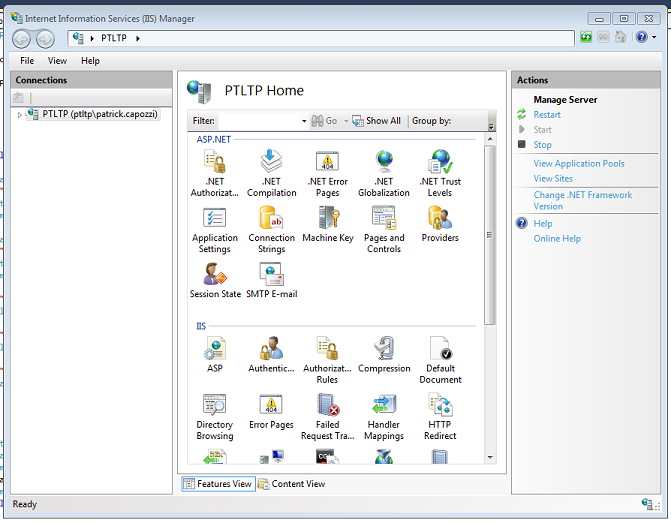
1. Access the "Smtp email' settings in IIS
2. Set the settings for smtp
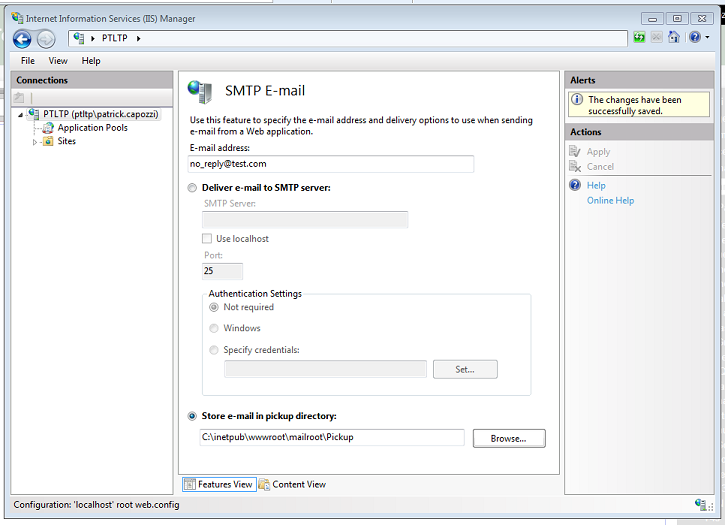
3. Create the C:\inetpub\wwwroot\mailroot\pickup directory
4. Download this file, unzip and double click to start. smtp4dev-2.0.9-binaries.zip
4. Set the setttings in smtp-4-dev as per screen shots.

5. Smpt-4dev should now be in your system tray and listening for email. When you send an email, you should see a baloon in your sys tray.